

Astroculture
Welcome to Astroculture, a game for agricultural astronauts.
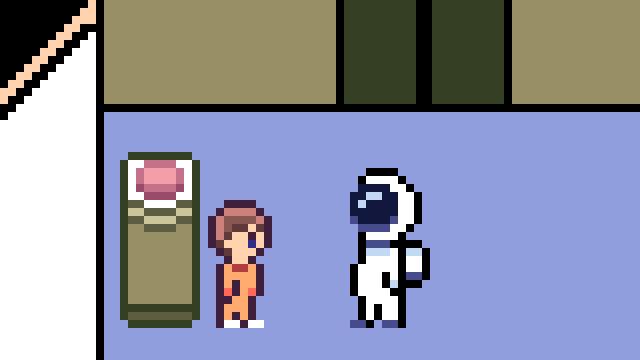
Grow crops aboard a spaceship, scavenge for scrap materials, and keep your crew fed as you navigate the challenges of farming among the stars. It's a tough job, but somebody has to do it. Just don't let the crew go hungry...
Astroculture was made by a solo developer for Farm Jam 2026 in 30 days.
How to Play
Growing Crops:
- Seeds can be purchased from the Recycling Center in the kitchen (right click the materials/supplies to buy).
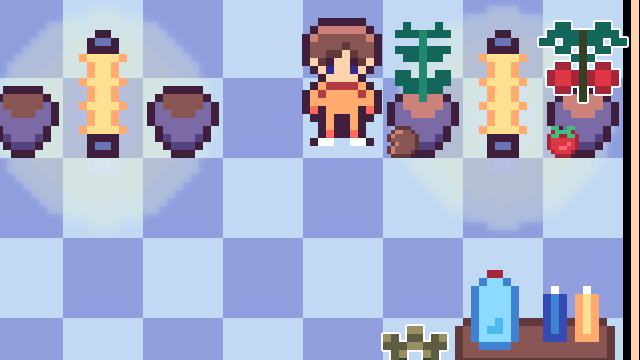
- Select a seed from your toolbar and right click a planter to plant it.
- Your crops need water, nutrients, and light to grow.
- The table in the greenhouse has a jug of water, as well as containers of nutrient solution. Fill it with water first, then add nutrient solution second using right click.
- Once your water pitcher has both, right click your planted crops to water them.
- Harvest plants using your shears when ready.
- Grow lights provide light to the 8 tiles directly surrounding them. Make sure your planters are within range of a grow light!
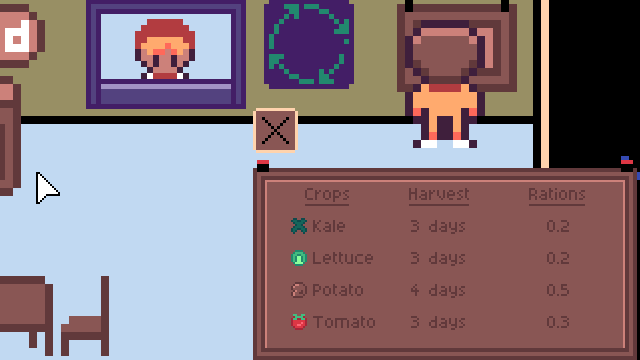
- Check the bulletin board in the kitchen for each crop's growth time and how many rations each crop is worth.
Feeding the Crew
- Harvested crops can be submitted to the "Food" box in the kitchen to add to the crew's rations.
- The crew needs enough food to meet their ration requirement, so keep an eye on your ration counter!
Scrap & Credits
- Scrap materials can be found around the ship.
- Bring scrap to the Recycling Center in the kitchen to exchange it for credits (right click scraps to sell)
- Credits can be used to purchase seeds and other supplies.
A Few Additional Tips
- Press E to pick up and place objects, including planters and grow lights.
- Planters and grow lights can't be placed everywhere, so you may need to rearrange your greenhouse to make the best use of your space.
- Don't forget to check the bulletin board if you're deciding what to grow!
- And most importantly...don't let the crew go hungry.
Controls:
WASD - Move
E - Pickup/Place Objects
Left Click - Interact
Right Click - Use Tools/Toolbar/Buy/Sell
X/ESC - Close menus/Pause
Spacebar - Advance dialogue
Credits & References:
Game Engine: GDevelop
Art: Aseprite/Pixsquare
Music: Beepbox
SFX: Nathan Gibson (Cyrex Studios - Audio bundle from itch.io)
Leave a comment
Log in with itch.io to leave a comment.